
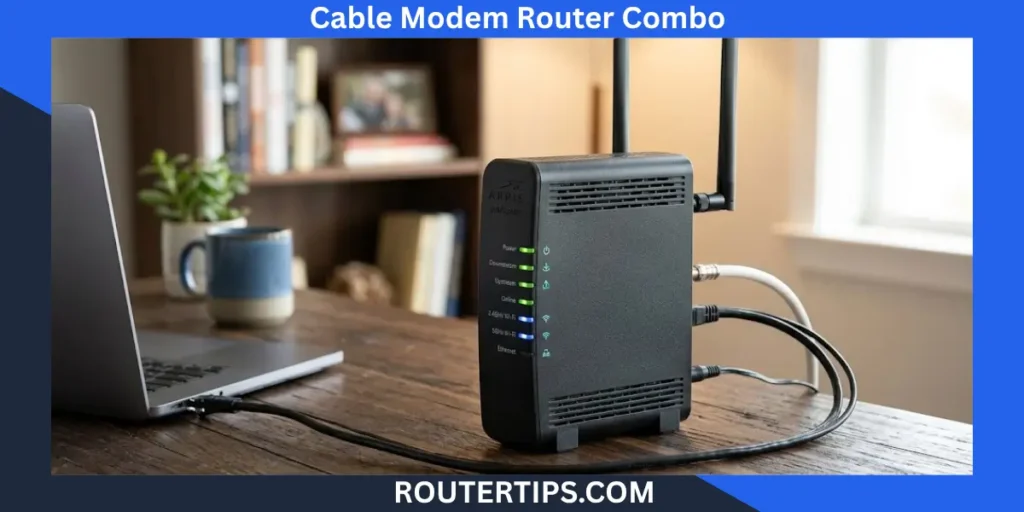
A cable modem router and combo can make a home network much simpler. Instead of using one device for the cable modem and another for the Wi-Fi router, a combo unit puts both functions into one device.
This type of equipment is also called a modem router combo, cable modem router, 2-in-1 modem router, or gateway. It can be a good choice if you want fewer cables, a simpler setup, and less hardware around your home.
However, a combo is not automatically the best choice for everyone. Your internet provider, speed plan, home size, Wi-Fi needs, and plans for future upgrades all matter.
For cable internet, compatibility should be one of the first things you check. Providers such as Xfinity maintain compatibility information for customer-owned modems and gateways, while Spectrum also maintains requirements and authorized equipment information.
What Is a Cable Modem Router Combo?
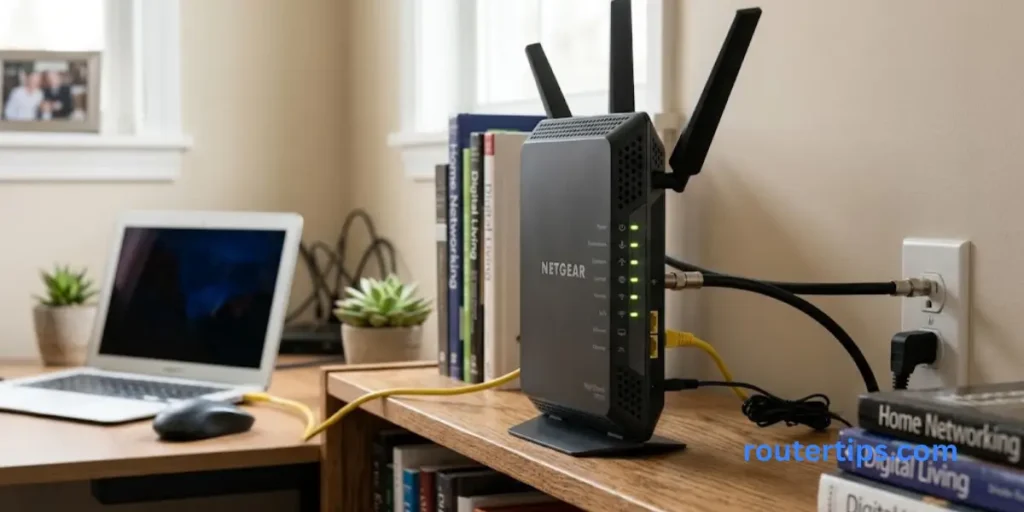
A cable modem router combo is a single device that performs the jobs of both a cable modem and a wireless router.
The modem connects your home to your cable internet service. The router then shares that connection with your phones, computers, smart TVs, game consoles, and other devices.
With separate equipment, the connection normally looks like this:
Cable wall outlet → Modem → Router → Your devices
With a combo device, the modem and router are built into the same unit:
Cable wall outlet → Modem Router Combo → Your devices
This is why you may also see the term 2 in 1 modem router when shopping for one.
What Does the Modem Do?
The modem handles the connection between your home and the cable provider’s network.
For cable internet, modern modems commonly use the DOCSIS standard. DOCSIS 3.1 is an important standard for modern cable broadband and is designed for high-speed internet over hybrid fiber-coaxial networks.
The modem is responsible for receiving internet service from the provider and making that connection available to your home network.
What Does the Router Do?
The router manages your local network.
It allows multiple devices to share one internet connection and normally provides Wi-Fi. It can also provide wired Ethernet connections for devices such as desktop computers, smart TVs, gaming consoles, and network storage.
The router side of a combo may also provide features such as:
- Wi-Fi security
- Guest networks
- Parental controls
- Device management
- Firewall functions
- Ethernet connections
- Wireless network settings
- Firmware updates
So, while the modem connects your home to the provider, the router manages how your devices connect within the home.
How Does a Cable Modem Router Combo Work?
A cable modem router combo handles two main jobs inside one enclosure.
First, the cable modem communicates with your internet provider through the coaxial cable connection. After the internet connection is established, the router portion creates your home network.
Your devices can then connect through Wi-Fi or Ethernet.
For example, your setup may look like this:
Cable outlet → Combo device → Wi-Fi → Phone, laptop, TV, console, and smart home devices
This can remove the need to configure two separate boxes.
It can also make troubleshooting easier in some situations because there is only one main networking device to restart or manage.
Spectrum’s support documentation, for example, refers to a modem/router combo as a gateway and provides separate troubleshooting instructions for homes using a combo device.
Cable Modem Router Combo vs. Separate Devices
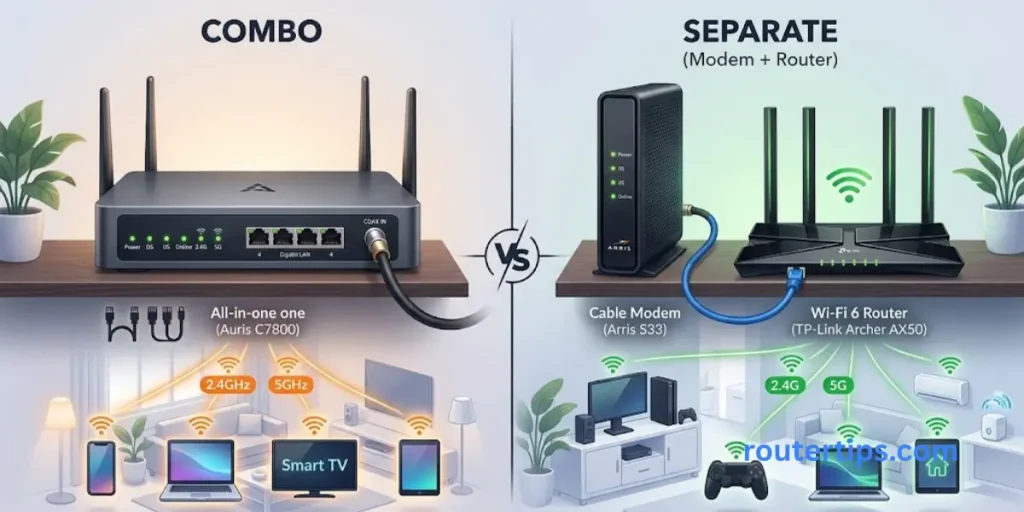
One of the most important decisions is whether you should buy a combo or use a separate modem and router.
Neither option is best for every household.
| Feature | Modem Router Combo | Separate Modem + Router |
| Number of devices | One | Two |
| Setup | Usually simpler | More steps |
| Cable clutter | Less | More |
| Space required | Less | More |
| Upgrading | Less flexible | More flexible |
| Router choices | Limited to built-in router | Wide choice |
| Modem replacement | Replace entire unit | Replace modem only |
| Advanced networking | Depends on model | Usually more choices |
| Mesh options | Model dependent | Usually easier to expand |
| Best for | Simplicity | Flexibility |
Is a Combo Better Than Separate Devices?
A combo can be better if your priority is simplicity.
For example, someone living in a smaller home with a moderate internet plan may not need a separate high-end router. A good modem router combo can provide internet access, Wi-Fi, and wired connections from one unit.
Separate devices can be better if you want more control.
You can replace the router without replacing the modem. You can also choose a router with more advanced Wi-Fi, stronger coverage, better gaming features, or mesh support.
This flexibility is one of the biggest advantages of keeping the modem and router separate.
Best Modem Router Combo for Home Use
The best router and modem combo for home depends on the type of internet service you have and how you use your connection.
Before looking at brands or advertised speeds, check your provider and internet plan.
Check Your Internet Speed
A modem router combo should support at least the speed included with your internet plan.
Buying a device with a lower supported speed can limit your connection.
It is also useful to look at the wired Ethernet speed. A device may advertise very high Wi-Fi performance while having Ethernet ports that do not match a multi-gig internet plan.
Consider Your Home Size
A single combo can work well in a small or medium home when the device is placed in a suitable location.
Larger homes may need a mesh Wi-Fi system or additional access points.
Wi-Fi performance also depends on walls, floors, interference, device location, and the number of connected devices. A more expensive combo cannot always solve poor placement or difficult building layouts.
Look at the Wi-Fi Standard
You may see Wi-Fi 5, Wi-Fi 6, Wi-Fi 6E, and Wi-Fi 7 when comparing wireless router and modem combo devices.
Newer Wi-Fi standards can offer better capacity and newer features, but your devices also need to support those standards to take advantage of them.
Best Router and Modem Combo for Xfinity
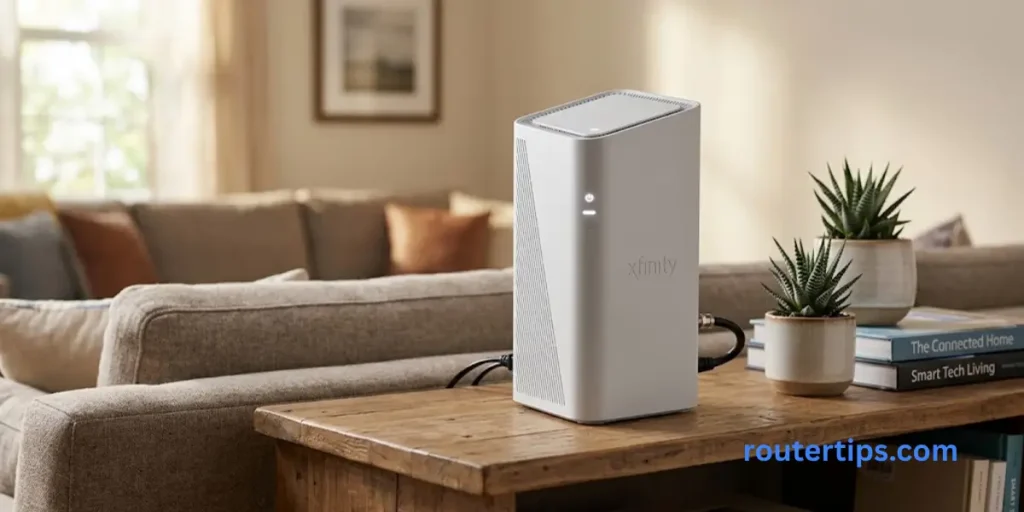
If you are looking for the best router modem combo for Xfinity, compatibility should come before price or advertised Wi-Fi speed.
Xfinity currently allows customers to use their own compatible modems, routers, or gateways. The company recommends checking its My Device Info tool before buying because compatibility can depend on the service and internet speed.
What Should You Check for Xfinity?
Before purchasing a router and modem combo for Xfinity, check:
- Exact model number
- Xfinity compatibility
- Supported download speed
- DOCSIS version
- Built-in Wi-Fi
- Voice support if needed
- Ethernet port speeds
- Manufacturer support
Xfinity’s current support information also notes that customers using their own equipment are responsible for keeping the equipment secure and updated and for troubleshooting the device itself.
This is important because a device being sold as a “cable modem router” does not automatically mean it works with every Xfinity plan.
Xfinity Cable Gateway vs. Retail Combo
Xfinity also provides its own gateway equipment. Its current gateway lineup includes devices that combine modem and router functions, including newer equipment using DOCSIS 4.0 and Wi-Fi 7.
If you buy your own device, always check the current provider list rather than relying only on an old product listing.
Best Router and Modem Combo for Spectrum
A router and modem combo for Spectrum also needs to meet the provider’s requirements.
Spectrum provides information about authorized modem equipment, and its support material explains that customers installing their own modem should use equipment that meets Spectrum’s specifications.
What Should You Check for Spectrum?
Before buying a Spectrum modem router combo, check:
- Current Spectrum compatibility
- Your internet speed tier
- DOCSIS version
- Built-in Wi-Fi capabilities
- Ethernet ports
- Firmware support
- Voice compatibility if you use Spectrum phone service
Do not rely only on a retailer saying that a device is “Spectrum compatible.” Equipment lists and service requirements can change.
Wi-Fi 7 Router and Modem Combo
A Wi-Fi 7 router and modem combo combines a cable modem with a newer Wi-Fi standard.
Wi-Fi 7 can support features designed for higher throughput and better network efficiency, including Multi-Link Operation and 320 MHz channel operation on supported equipment. Wi-Fi Alliance certification information includes these Wi-Fi 7 capabilities.
Is a Wi-Fi 7 Modem Router Combo Worth It?
It can be worth considering if:
- You have a fast internet plan
- You own newer Wi-Fi 7 devices
- You transfer large files over your local network
- You have many connected devices
- You want a newer platform for future devices
- Your wired network also supports the speeds you expect
But Wi-Fi 7 does not automatically make your internet connection faster than the speed provided by your ISP.
If your internet plan is modest and most of your devices use older Wi-Fi standards, paying extra for Wi-Fi 7 may provide little practical benefit.
Best Router and Modem Combo for Gaming
A router and modem combo for gaming can work very well, but gaming performance is not determined by the advertised Wi-Fi number alone.
For online gaming, latency and connection stability can matter more than maximum download speed.
Look for:
- Stable wired Ethernet
- Low latency
- Strong Wi-Fi coverage
- Reliable firmware
- Good traffic management
- Enough Ethernet ports
- A modem that supports your internet plan
If your gaming PC or console is close to the combo device, Ethernet is often a good choice because it avoids many of the wireless variables that can affect a Wi-Fi connection.
CableLabs notes that DOCSIS 3.1 supports high-speed applications including multiplayer online gaming, although the actual gaming experience still depends on the complete internet connection and network conditions.
Important Features to Look For in a Cable Modem Router
DOCSIS Version
For cable internet, DOCSIS is one of the first specifications to check.
DOCSIS 3.0 is still found in many older cable devices, while DOCSIS 3.1 is designed for newer high-speed cable networks. CableLabs identifies DOCSIS 3.1 as the current industry standard for high-quality internet access over hybrid fiber-coaxial networks.
The right version for you depends on your provider and plan.
Wi-Fi Generation
Look at the Wi-Fi standard rather than only the number printed on the box.
Wi-Fi 6 and Wi-Fi 7 can be useful for homes with many modern wireless devices. Wi-Fi 6E adds access to the 6 GHz band on compatible equipment.
Ethernet Ports
Ethernet is important if you have:
- Gaming consoles
- Desktop computers
- Smart TVs
- Network storage
- Streaming devices
- Multi-gig internet
For faster internet plans, check whether the device has 2.5GbE or faster Ethernet ports where needed.
Security Features
Look for current security support, regular firmware updates, guest network controls, and other network-management features.
A router that is easy to update is generally a better long-term choice than one that has been abandoned by its manufacturer.
Coverage
Do not judge coverage only by the number printed on a product box.
Your home’s layout, walls, floors, interference, and router placement all affect Wi-Fi performance.
For a large home, a separate mesh system may make more sense than relying on one cable modem router combo.
Advantages and Disadvantages of a Modem Router Combo
Advantages
A modem router combo can offer several practical benefits:
- One device instead of two
- Less cable clutter
- Easier installation
- Less space required
- One main device to manage
- Fewer separate power adapters
- Good fit for simple home networks
For many households, this simplicity is the main reason to choose a combo.
Disadvantages
There are also trade-offs:
- Less flexibility when upgrading
- A router upgrade may require replacing the entire unit
- Advanced router features vary by model
- Compatibility may limit your choices
- Mesh expansion depends on the device
- One hardware failure can affect both modem and router functions
If you like changing routers often, separate equipment may be the better long-term option.
How to Choose the Best Modem Router Combo
Choosing a best modem router combo becomes easier if you follow a simple order.
Check Your Internet Provider
Start with your ISP.
Find out whether it supports customer-owned modem router combos and which models are approved.
Check Your Internet Speed
Choose equipment that supports your current speed tier.
If you expect your plan to increase soon, consider buying equipment with enough capacity for that upgrade.
Check the Exact Model Number
Do not rely only on the product family or brand name.
Different versions of the same product can have different specifications.
Choose the Right Wi-Fi Standard
Wi-Fi 6 may be enough for many homes. Wi-Fi 7 makes more sense when you have compatible devices and a fast connection.
Check Ethernet
If you use wired devices or have multi-gig internet, Ethernet ports deserve close attention.
Think About Coverage
One device may be enough for a smaller home. Larger spaces may benefit from mesh Wi-Fi or additional access points.
Check Updates and Support
Look for a manufacturer that provides firmware updates and ongoing support for the model.
How to Set Up a Modem Router Combo at Home
The exact steps vary by manufacturer and internet provider, but the basic process is usually straightforward.
Connect the Coaxial Cable
Connect the coaxial cable from your cable wall outlet to the cable modem router’s coaxial port.
Connect Power
Connect the power adapter and turn on the device.
The status lights may flash while the modem establishes communication with your provider.
Activate the Equipment
Some providers require activation before the internet connection will work.
Follow the provider’s activation instructions for your specific service.
Set Up Wi-Fi
Once the internet connection is active, configure your wireless network name and password if they are not already set.
Connect Your Devices
Connect phones, laptops, TVs, consoles, and other devices through Wi-Fi or Ethernet.
Place the combo device in a reasonably central and open location when possible.
Can You Use a Modem Router Combo With Any Internet Service?
No.
A cable modem router combo is designed for cable internet and is not a universal replacement for every type of internet equipment.
Cable Internet
This is the main use case for a cable modem router combo.
The modem needs to support the cable provider’s network and your service plan.
DSL Internet
DSL requires DSL-compatible equipment. A standard cable modem router cannot simply replace a DSL modem.
Fiber Internet
Fiber internet normally uses an ONT or another fiber termination device rather than a traditional cable modem.
For example, Spectrum’s fiber installation documentation describes an Ethernet connection from the provider’s equipment or ONT to the Wi-Fi router.
Xfinity also distinguishes its fiber service from cable service and explains that eligible fiber customers can use a compatible Ethernet router rather than a cable modem.
5G and Fixed Wireless Internet
5G and fixed wireless services use different types of equipment. Some products combine a cellular modem and router, but these should not be confused with cable modem router combos.
Popular Cable Modem Router Combo Brands
Several brands make cable modem router equipment, including:
- NETGEAR
- ARRIS
- Motorola
- TP-Link
- ASUS
The brand alone should not determine your purchase.
Check the exact model, supported internet speeds, DOCSIS version, Wi-Fi standard, Ethernet ports, ISP compatibility, firmware support, and warranty.
A well-known brand can still have older models that are not suitable for a newer internet plan.
Buying a Router and Modem Combo on Amazon, Best Buy, or Walmart
You may find a large selection of modem router combo products on Amazon, Best Buy, Walmart, and other retailers.
The biggest mistake is choosing based only on reviews or the highest advertised Wi-Fi number.
Before purchasing, check:
- Exact model number
- ISP compatibility
- DOCSIS version
- Supported download speed
- Wi-Fi standard
- Ethernet port speeds
- Voice support if required
- Warranty
- New or refurbished condition
- Manufacturer support
Also be careful with older products. A listing can remain available long after an ISP has changed its supported equipment requirements.
When Should You Buy a Modem Router Combo?
A combo is a sensible choice if you want a simple home network and do not need extensive customization.
It can be a good fit for:
- Small and medium homes
- Basic home networks
- Streaming households
- Users who want fewer devices
- People who prefer simple setup
- Users with compatible cable internet service
When Should You Buy Separate Devices?
Separate equipment is often a better choice if you want more control over your network.
Consider separate devices if you:
- Want to upgrade your router independently
- Need advanced Wi-Fi features
- Want a dedicated mesh system
- Have a large home
- Use many connected devices
- Want more Ethernet options
- Expect to upgrade your internet plan frequently
This approach also makes replacement easier. If your router becomes outdated while your modem remains suitable, you can replace only the router.
Final Thoughts About Cable Modem Router Combos
A cable modem router combo is a good choice if you want a simple home network. It combines a modem and a router in one device, so you do not need to manage two separate boxes.
Before buying one, do not look only at the Wi-Fi speed. Check if it works with your internet provider, internet plan, DOCSIS version, Wi-Fi standard, Ethernet ports, and home size. It is also a good idea to check for regular software updates and a solid warranty.
If you use Xfinity or Spectrum, make sure the exact model is supported by your provider before you buy it. Supported devices and internet plans can change over time.
A modem router combo is best if you want fewer cables and an easier setup. But if you want more control, easier upgrades, or better networking options, using a separate modem and router may be a better choice.
Frequently Asked Questions About Cable Modem Router Combos
Q1. Is it better to have a combo modem and router?
It depends on your needs. A combo is usually better for simplicity, fewer cables, and easy setup. Separate devices are better when you want more flexibility and easier individual upgrades.
Q2. What is the best router and modem combo?
There is no single best model for every household. The right choice should match your ISP, internet speed, cable network requirements, Wi-Fi needs, Ethernet requirements, and home size.
Q3. What is a router and modem combo called?
It is commonly called a modem router combo, cable modem router, 2-in-1 modem router, or gateway.
Q4. Is a modem router combo better than separate devices?
A combo is simpler, while separate devices offer more flexibility. Choose based on whether convenience or upgradeability matters more to you.
Q5. Can I use a router and modem combo for Xfinity?
Yes, compatible customer-owned gateways can be used with Xfinity. Xfinity recommends checking its current My Device Info tool to verify the exact device and speed compatibility before buying.
Q6. Can I use a modem router combo with Spectrum?
Some cable modem router combos can be used with Spectrum, but you should check the provider’s current authorized equipment information and your service requirements before purchasing.
Q7. Is a Wi-Fi 7 modem router combo worth it?
It can be worthwhile if you have a fast internet connection and newer Wi-Fi 7 devices. For a basic connection with older devices, a Wi-Fi 6 or other suitable option may provide better value.
Q8. Can I use a modem router combo with fiber internet?
A traditional cable modem router combo generally is not used as the fiber termination device. Fiber services commonly use an ONT or provider equipment, with a router connected through Ethernet.
Q9. Is a modem router combo good for gaming?
Yes. A good combo can support gaming, especially when it offers stable connectivity, suitable Ethernet ports, low-latency performance, and reliable firmware. Ethernet can be preferable for devices that support it.