
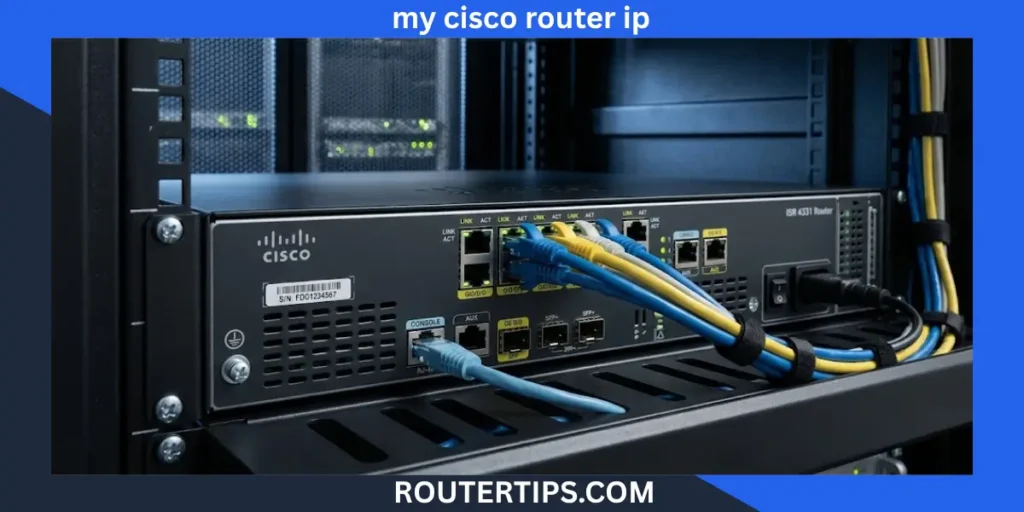
If you are trying to access your Cisco router, the first thing you need is its local IP address. For many Cisco Business routers, 192.168.1.1 is the default local IP address used to open the router’s web-based setup page.
However, 192.168.1.1 is not the IP address of every Cisco router. A Cisco router that has already been configured may use a different address. Cisco IOS routers can also have different IP addresses assigned to different interfaces.
The easiest way to find the correct address depends on the Cisco device you have. If you are using a Cisco Business router, you can try 192.168.1.1 first. If it does not work, check the Default Gateway on your computer or phone. If you have access to the Cisco command line, the show ip interface brief command can show the IP addresses assigned to the router’s interfaces. Cisco documents this command for viewing interface IP information and status.
What Is the Default IP Address for a Cisco Router?
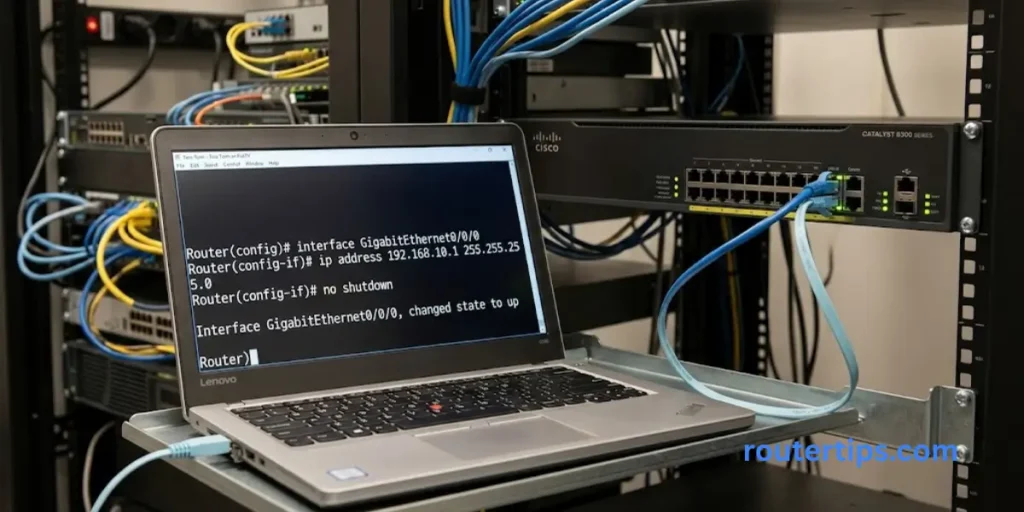
192.168.1.1 is a common default IP address for Cisco Business routers. It is a private IPv4 address used on the local network.
When a Cisco router is using this address, you can normally enter it into a web browser to reach the router’s administration page.
For example:
192.168.1.1
Enter the address in the browser’s address bar, not into a search engine.
It is important to understand that Cisco makes many types of routers. A Cisco Business router designed for small offices may use a web interface, while a Cisco IOS router used in a larger network may have several interfaces with different IP addresses.
That means there is no single IP address that applies to every Cisco router.
🌐 Need to find the IP address for your Spectrum router? Check our Spectrum Router IP Address Reference for helpful details.
Is 192.168.1.1 Used on Every Cisco Router?
No.
A Cisco router may use 192.168.1.1 as its local address when it is configured that way, but the address can be changed.
For example, a router could have an interface using:
192.168.1.1
while another Cisco device could use:
192.168.10.1
or:
10.0.0.1
The actual address depends on the model, network design, and configuration.
This is why checking the current router or gateway address is more reliable than assuming that every Cisco device uses 192.168.1.1.
🌐 Looking for the IP address of your Verizon router? Check our Verizon Router IP Address Details for helpful information.
How to Find My Cisco Router IP Address
There are several ways to find the Cisco router IP address. The best method depends on what device you are using and whether you have access to the router itself.
Try 192.168.1.1
If you have a Cisco Business router and it is still using its default local configuration, start with:
192.168.1.1
Connect your computer or phone to the Cisco router’s network. Then open a web browser and enter the address.
If the Cisco login page appears, you have found the local router IP.
If nothing opens, do not assume the router is broken. The router may simply be using another IP address.
Use ipconfig on Windows
Windows provides a simple way to find the local router address.
- Connect your computer to the Cisco router’s network.
- Open Command Prompt.
- Type:
ipconfig
- Press Enter.
- Find the network adapter you are currently using.
- Look for Default Gateway.
You may see something similar to:
IPv4 Address . . . . . : 192.168.1.25
Default Gateway . . . : 192.168.1.1
In this example, 192.168.1.1 is the router’s local gateway address.
Your computer’s IPv4 address and the router’s IP address are not the same thing. The computer might have an address such as 192.168.1.25, while the router uses 192.168.1.1.
🌐 Need information about your Netis router? Check our Netis Router Reference for useful details.
Use the Cisco Router IP Address Command
If you are working directly with a Cisco IOS router, use:
show ip interface brief
For example:
Router# show ip interface brief
Cisco documents show ip interface brief as a command that displays a summary of the device’s interfaces, including their IP addresses and status.
The output can look like this:
Interface IP-Address OK? Method Status Protocol
GigabitEthernet0/0/0 192.168.1.1 YES NVRAM up up
GigabitEthernet0/0/1 10.0.0.1 YES NVRAM up up
The IP-Address column tells you which IP address is assigned to each interface.
This is especially useful on Cisco IOS routers because they may have multiple interfaces and therefore multiple IP addresses.
🌐 Want to check your router’s public IP address? Visit our What Is My External IP Address for My Router Guide for useful details.
How Do I Access My Cisco Router?
Once you know the correct local IP address, accessing a Cisco Business router is usually straightforward.
Connect to the Cisco Router Network
Your computer or phone needs to be connected to the router’s local network.
You can use Wi-Fi if the router provides wireless access, or connect through Ethernet when available.
Open a Web Browser
Open Chrome, Edge, Firefox, Safari, or another modern browser.
Enter the Router IP Address
If your Cisco router uses the common default address, enter:
192.168.1.1
in the browser’s address bar.
Do not type the address into Google or another search engine.
Enter Your Login Details
The router should display its login page if the address and connection are correct.
Enter the administrator username and password configured for your router.
The login details can vary by Cisco model and configuration, so you should not assume that one username and password works on every Cisco router.
Open the Router Settings
After successful authentication, you can access the settings available on your particular Cisco router.
Depending on the model, these settings may include wireless configuration, LAN settings, DHCP, security options, firmware settings, routing options, and other network controls.
🌐 Need to find the IP address for your Comcast router? Check our What Is My Comcast Router IP Address Explanation for helpful details.
Cisco Router IP Address and Login Details
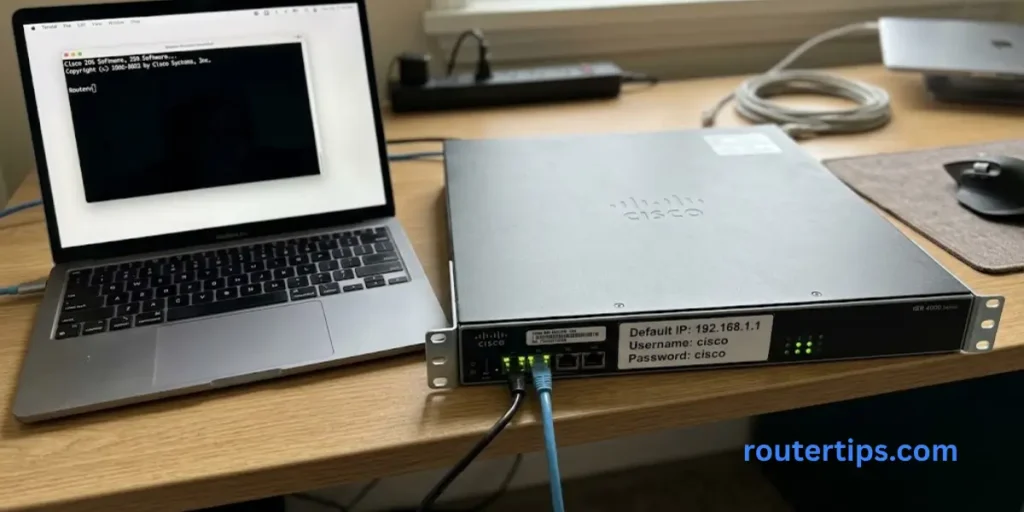
Many people searching for a Cisco router IP are also looking for the default username and password.
For some Cisco Business routers, the initial or factory configuration can use:
| Setting | Common Value |
| Router IP | 192.168.1.1 |
| Username | cisco |
| Password | cisco |
| Access method | Web browser |
These values should not be treated as universal Cisco credentials.
The exact login details depend on the model and whether someone has already changed the router’s configuration.
If the router has been configured before, the administrator password may be completely different from the original default.
For security, change default administrator credentials when setting up a new router and use a strong password that is not reused elsewhere.
🌐 Need to find the IP address for your AT&T router? Check our What Is My AT&T Router IP Address Guide for helpful details.
How Do I Log In to My 192.168.1.1 Router?
If your Cisco router uses 192.168.1.1, you can normally follow these steps:
- Connect to the Cisco router’s network.
- Open a web browser.
- Enter 192.168.1.1 in the address bar.
- Press Enter.
- Wait for the Cisco login page.
- Enter the correct administrator username.
- Enter the administrator password.
- Select the login option.
If the page does not load, check the Default Gateway on your connected computer.
For example, if ipconfig shows:
Default Gateway . . . : 192.168.10.1
then you should try:
192.168.10.1
instead of 192.168.1.1.
What If 192.168.1.1 Does Not Work?
A Cisco router not opening at 192.168.1.1 does not necessarily mean there is a serious problem.
There are several possible reasons.
Check Your Network Connection
First, make sure your computer or phone is connected to the Cisco router.
If your device is connected to a different Wi-Fi network, 192.168.1.1 may not be the correct gateway for that connection.
Check the Default Gateway
On Windows, open Command Prompt and run:
ipconfig
Find Default Gateway.
Use the address shown there instead of guessing.
The Router IP May Have Been Changed
A router that has already been configured may no longer use its original IP address.
For example, an administrator may have changed the LAN address from:
192.168.1.1
to:
192.168.10.1
In that case, entering the old address will not take you to the router’s management page.
Check for an IP Conflict
Two devices should not normally use the same IP address on the same local network.
If another device has been assigned the same address, network communication can become unreliable.
If you suspect an IP conflict, check the network configuration and the devices connected to the network.
Check the Router Model
Cisco uses different router families for different network environments.
A Cisco Business router and a Cisco IOS enterprise router should not be treated as identical devices.
The correct access method and IP configuration can vary significantly between models.
Cisco Business Router vs Cisco IOS Router
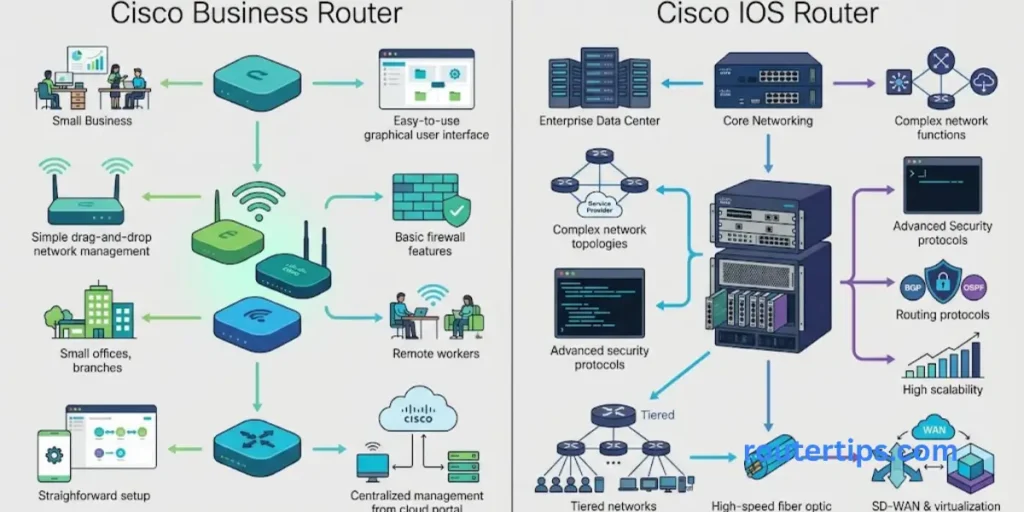
This distinction is important when searching for a Cisco router IP.
Cisco Business Router
Cisco Business routers are designed for business and small-office network environments and can commonly be managed through a web-based interface.
For applicable Cisco Business routers using the default local configuration, 192.168.1.1 is a common address to try.
You can then use a browser to access the router’s setup page.
Cisco IOS Router
Cisco IOS routers are commonly managed through command-line tools such as the console or remote management methods.
These routers can have multiple interfaces, and each interface can have its own IP address.
For example:
GigabitEthernet0/0/0 192.168.1.1
GigabitEthernet0/0/1 10.0.0.1
In this situation, asking for the single “Cisco router IP” can be misleading.
The correct address depends on which interface and network you need to manage.
Cisco’s documentation shows that show ip interface brief provides a summary of interface IP addresses and status.
Cisco Router IP vs Public IP Address
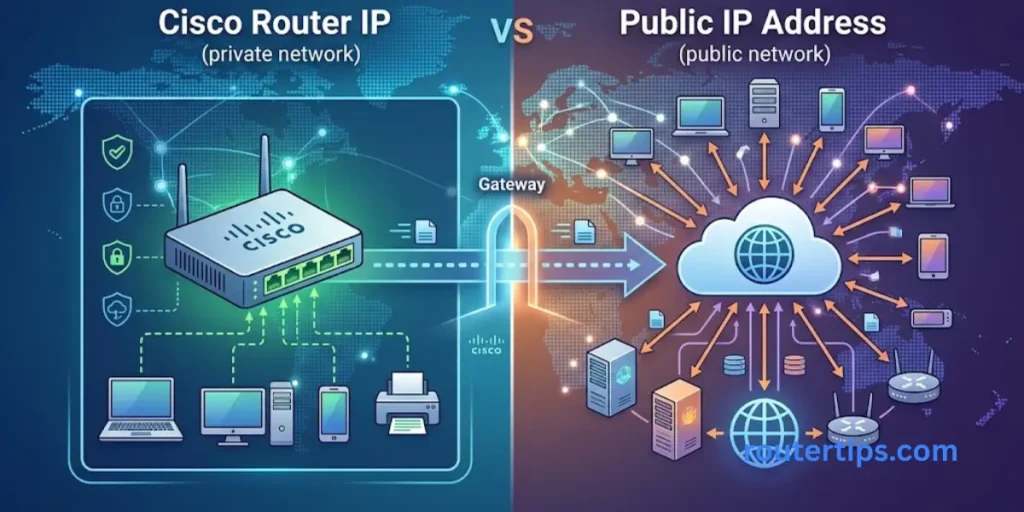
Another common source of confusion is the difference between a router’s local IP and its public IP.
A local router address such as:
192.168.1.1
is used inside the local network.
It is a private IPv4 address.
Your Internet connection can also have a public IP address. That public address is used for communication between your network and the Internet.
These two addresses serve different purposes.
Local Router IP
Example:
192.168.1.1
Used for local router access and network communication.
Public IP
A public IP is assigned on the Internet-facing side of the connection.
It is not normally the address you type into your browser when you want to open the router’s local administration page.
If your goal is to log in to your Cisco router, you normally need the local management or gateway address, not your public IP.
How to Find the Cisco Router IP on a Mac
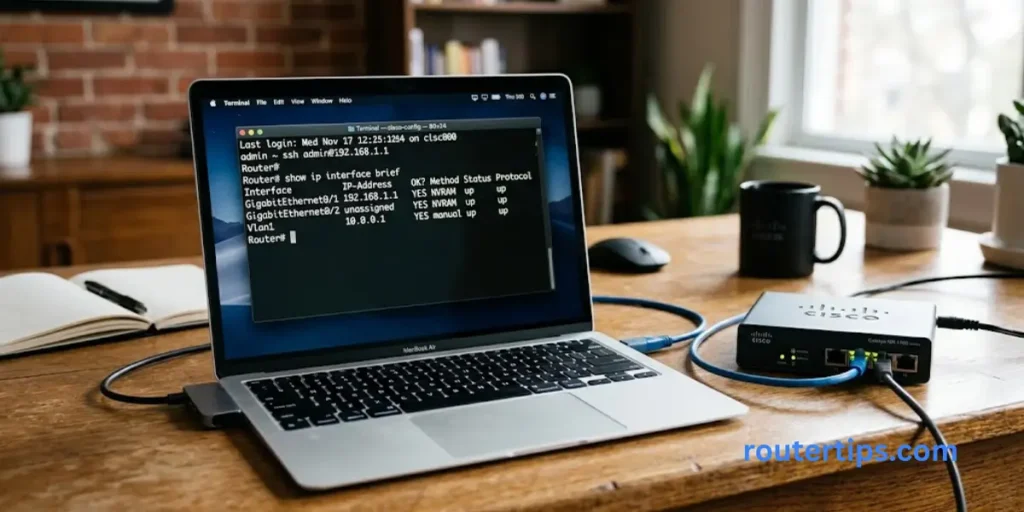
Mac users can check the router address through network settings.
Depending on the macOS version, open:
System Settings → Network → Wi-Fi or Ethernet → Details → TCP/IP
Look for the field labeled Router.
The address shown there is the local router or gateway address for that connection.
For example:
Router: 192.168.1.1
You can then enter that address into your browser if the Cisco device provides a web management page.
How to Find the Cisco Router IP on Android
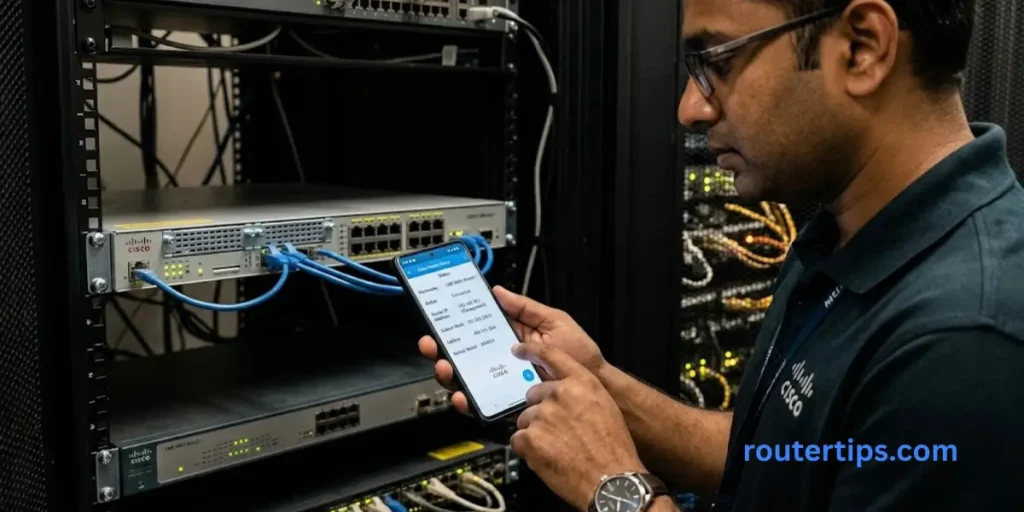
Android phones can show network information for the connected Wi-Fi network.
Open the Wi-Fi settings and select the network you are currently connected to.
Depending on the phone and Android version, look for a field such as:
Gateway or Router
The displayed address can help you identify the local Cisco router.
The exact menu names can vary between Android devices.
How to Find the Cisco Router IP on iPhone
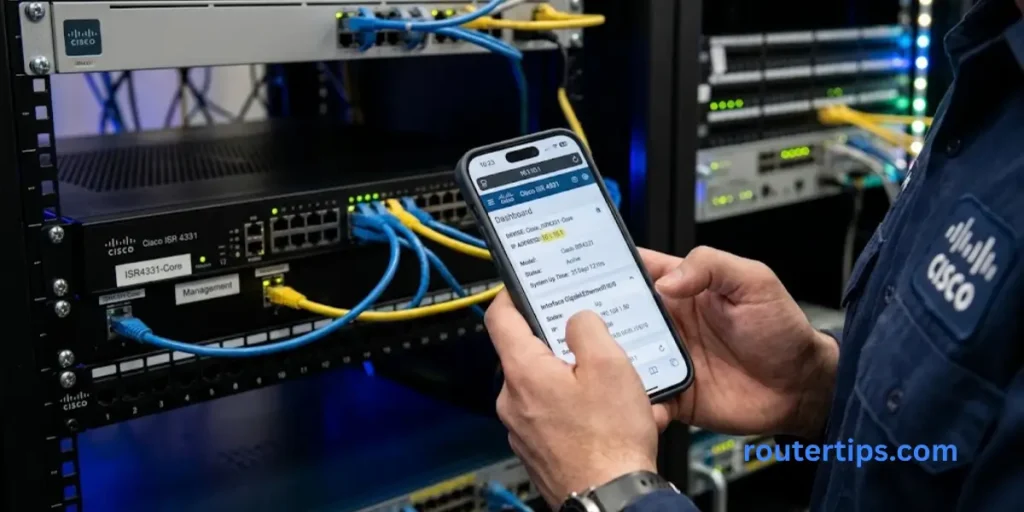
On an iPhone:
- Open Settings.
- Select Wi-Fi.
- Select the connected Wi-Fi network.
- Tap the information icon.
- Look for Router.
The address listed beside Router is the local gateway address for that Wi-Fi connection.
If it shows:
192.168.1.1
you can try that address in a browser if your Cisco model supports web-based administration.
What Is the Cisco Router Default Username and Password?
There is no single username and password that applies to every Cisco router.
Some Cisco Business routers can use cisco as the initial username and password under their default setup, but the exact credentials depend on the device and its configuration.
If someone has already configured the router, the default password may have been changed.
If you are managing an older Cisco router, an enterprise Cisco IOS device, or a router supplied by another organization, do not assume that the common Cisco Business defaults apply.
The safest approach is to identify the exact model and check its official documentation or the credentials provided by the network administrator.
What If I Forgot My Cisco Router Password?
If you know the router IP address but cannot log in because you forgot the administrator password, first check whether another authorized administrator can provide access.
You should also identify the exact Cisco model before attempting a reset.
A factory reset can remove the existing configuration. This can include LAN settings, wireless settings, routing information, security settings, and other custom changes.
For a router that is already part of a working network, resetting it without a backup can cause unnecessary downtime.
If the configuration is important, avoid resetting the device until you know what settings need to be restored afterward.
How to Reset a Cisco Router
The reset process depends on the Cisco router model.
For this reason, do not assume that one reset procedure applies to every Cisco router.
Some Cisco Business routers have a physical reset button that can be used to restore factory settings. The exact timing and procedure should be checked against the documentation for your model.
Before resetting a working router, consider:
- Do you have a configuration backup?
- Do you know the ISP settings?
- Do you know the LAN IP address?
- Do you know the wireless settings?
- Do you know the administrator credentials?
- Is the router part of a larger business network?
A reset can be useful when a router is no longer accessible, but it should not be the first step when the only problem is that you do not know the IP address.
Common Cisco Router IP Problems
192.168.1.1 Does Not Open
Check the Default Gateway on your connected device.
The router may be using another local IP address.
The Cisco Login Page Is Missing
Make sure your device is connected to the correct network.
Also verify that you are entering the IP address into the browser address bar.
The Login Password Does Not Work
The password may have been changed from its original value.
Check the router model and existing network documentation before considering a reset.
You Can Ping the Router but Cannot Log In
A router can respond to network traffic without necessarily providing the web management service you are trying to use.
The management method depends on the Cisco device and its configuration.
The Router Has Several IP Addresses
This is normal for many Cisco IOS devices.
Use:
show ip interface brief
to view the IP addresses assigned to the interfaces. Cisco’s command reference confirms that the command provides a summary of interface IP addresses and status.
How to Secure Your Cisco Router After Login
Once you have access to the router, take a few basic security steps.
Change Default Administrator Credentials
If the router is still using default credentials, replace them with a strong administrator password.
Use a Strong Password
Avoid simple passwords based on your name, address, router brand, or other easy-to-guess information.
Keep Router Software Updated
Check for supported firmware or software updates for your particular Cisco model.
Updates can include security fixes, reliability improvements, and other changes.
Limit Management Access
Router administration should normally be limited to trusted users and appropriate management networks.
Avoid exposing a router’s management interface directly to the public Internet unless there is a specific and properly secured reason to do so.
Keep a Configuration Backup
For business and advanced Cisco routers, maintaining a known-good configuration backup can make recovery much easier after a configuration problem.
Final Thoughts About What Is My Cisco Router IP
If you are asking “What is my Cisco router IP?”, the first address worth checking on many Cisco Business routers is 192.168.1.1. However, this address should not be treated as a universal Cisco router IP because the actual address depends on your router and network configuration.
If 192.168.1.1 does not work, check the Default Gateway on your connected computer or the Router or Gateway value on your phone or Mac. If you are working with a Cisco IOS device and have command-line access, show ip interface brief is a reliable way to view the IP addresses assigned to the router’s interfaces.
Once you have the correct local IP address, use the Cisco management method supported by your device. If the router is still using its initial configuration, default credentials may apply, but always verify the exact Cisco model before relying on them.
The most important point is simple: 192.168.1.1 is common, but your actual Cisco router IP is the address configured for your specific device and network. Finding the correct address first can make router management and troubleshooting much easier.
Frequently Asked Questions About What Is My Cisco Router IP
Q1. What is the default IP address for a Cisco router?
192.168.1.1 is a common default IP address for Cisco Business routers, but it is not a universal address for every Cisco router. Configured Cisco devices can use different IP addresses.
Q2. How do I access my Cisco router?
Connect to the Cisco router’s network, find its local IP address, enter that address into a web browser if the model supports web administration, and enter the correct administrator credentials.
Q3. How do I log in to my 192.168.1.1 router?
Connect to the router, open a browser, enter 192.168.1.1 in the address bar, and provide the correct administrator username and password.
Q4. How do I see what my router IP is?
On Windows, run ipconfig and look for Default Gateway. On macOS, check the Router field in your network settings. On Cisco IOS, use show ip interface brief to view interface IP addresses.
Q5. What is the Cisco router default username and password?
Some Cisco Business routers can use cisco as the initial username and password, but this is not a universal credential for all Cisco routers. Always check the exact model and current configuration.
Q6. Is 192.168.1.1 the IP address of every Cisco router?
No. It is a common address for Cisco Business routers, but Cisco routers can use many different IP addresses depending on their model and configuration.
Q7. How do I find my Cisco router IP without logging in?
Check the Default Gateway on a connected Windows computer, or look for the Router/Gateway value in the network settings on a phone or Mac.
If you have command-line access to a Cisco IOS router, run:
show ip interface brief
to see the IP addresses assigned to its interfaces.
Q8. What command shows the IP address on a Cisco router?
The commonly used Cisco IOS command is:
show ip interface brief
It provides a short summary of interfaces, their IP addresses, and their status.