
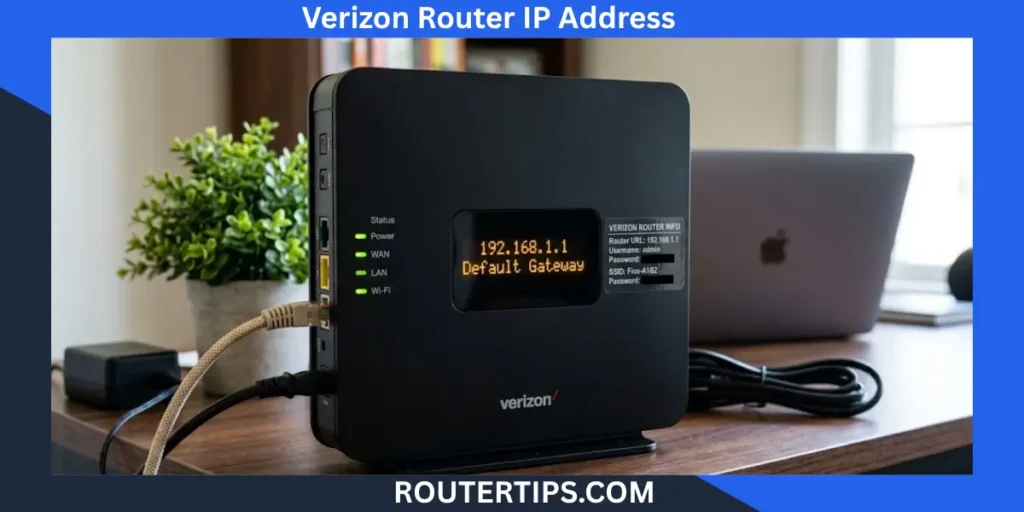
If you have a Verizon router and want to change your Wi-Fi settings, check connected devices, or manage your home network, you may need its local IP address. For many Verizon routers, including supported Fios models, the main address to try is 192.168.1.1.
Verizon also provides web addresses for router management. Depending on your router model, you may use myfiosgateway.com or mynetworksettings.com instead. Verizon’s current support documentation confirms that 192.168.1.1 can be used to access router settings, while the exact web address and login screen can vary by model.
You do not need an internet search to open these addresses. They are used from a device connected to your Verizon router.
What Is the Verizon Router IP Address?
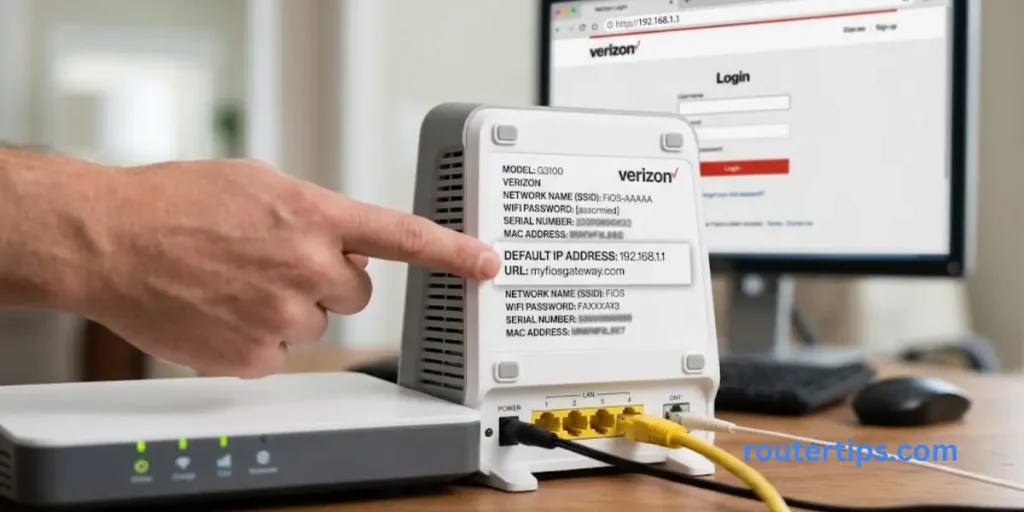
For many Verizon routers, the default local IP address is:
192.168.1.1
To access the router:
- Connect your phone, computer, or tablet to the Verizon router.
- Open a web browser.
- Type 192.168.1.1 into the address bar.
- Press Enter.
- Enter your router administrator password.
Some Verizon Fios routers also use myfiosgateway.com, while newer Verizon Router models such as the CR1000A use mynetworksettings.com as the Network Settings URL. Verizon’s CR1000A guide lists mynetworksettings.com as the main address and https://192.168.1.1 as an alternative.
📶 Want to access your Netis router settings? Check our Netis Router Information to find the login address, sign-in details, and steps for managing your router settings.
Is 192.168.1.1 My Verizon Router IP Address?
It can be. 192.168.1.1 is a common Verizon router IP address, but it is not correct to assume that every Verizon device uses the same management page.
Your router model matters. Verizon currently lists several router families, including the CR1000A, CR1000B, Fios Router, and Fios Quantum Gateway.
If 192.168.1.1 does not open the login page, check the label on your router or use the device’s network settings to find its current gateway address.
Verizon Fios Router Login
Find default IP addresses, login credentials (username/password), step-by-step connection guides, and troubleshooting for Verizon Fios routers.
How to Log In to Your Verizon Router
Logging into a Verizon router lets you manage settings for your home network. You can change the Wi-Fi name and password, review network settings, and manage other router options.
Connect to Your Verizon Router
First, connect the device you are using to the Verizon router.
You can use:
- Wi-Fi
- Ethernet cable
A wired connection can be useful if you are having trouble with the wireless network. Verizon’s current admin-page instructions say the device must have an active wired or wireless connection to the router.
Make sure you are connected to the correct Verizon network before trying to open the router login page.
Open a Web Browser
Open a browser such as:
- Google Chrome
- Microsoft Edge
- Firefox
- Safari
You do not need to search Google for the router IP address.
📶 Want to learn more about the eero 7 router? Read our Eero 7 Router Overview to review its Wi-Fi 7 features, coverage, ports, and network capabilities.
Enter the Verizon Router IP Address
Click the browser’s address bar and enter:
192.168.1.1
Then press Enter.
For supported Verizon Router models, Verizon also documents mynetworksettings.com as an access address. For supported Fios routers, myfiosgateway.com is another option.
Be careful when typing the address. The number 1 can easily be confused with the lowercase letter l.
For example, the correct address is:
192.168.1.1
Not:
192.168.l.l
Enter Your Verizon Router Login Details
After the login page opens, you will need the administrator credentials.
For supported Verizon Router interfaces, Verizon lists admin as the default username. The unique default administrator or Network Settings password is printed on the router label.
Do not assume that your Wi-Fi password is the same as your router administrator password. They can be different.
📶 Looking to sign in to your EE router? Visit our EE Router Login Information to reach the login page and manage your router settings.
Verizon Router IP Address by Router Model
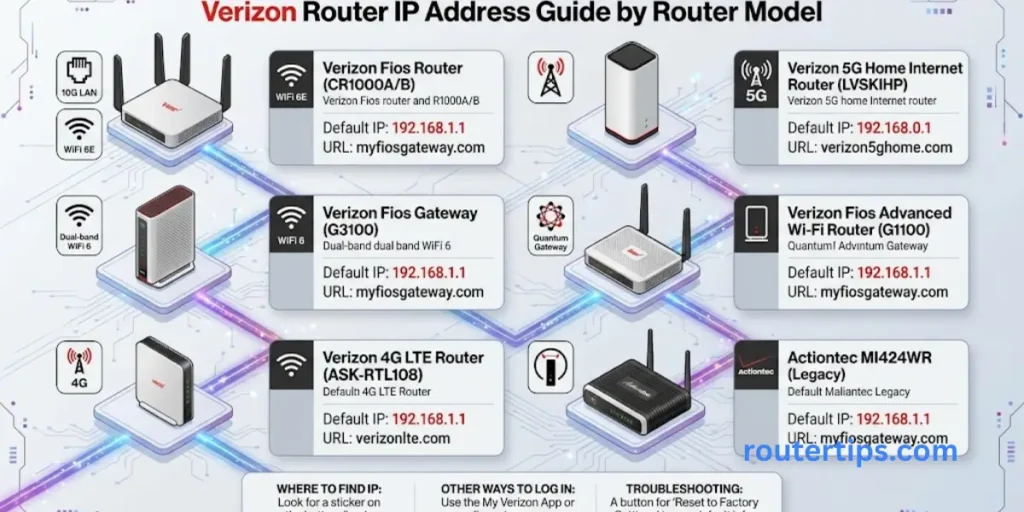
Verizon has several router models, so the login address can depend on which device you have.
| Verizon Router | Common Management Address |
| Verizon Router CR1000A | mynetworksettings.com or 192.168.1.1 |
| Verizon Router CR1000B | 192.168.1.1 or model-specific network settings page |
| Fios Router G3100 | myfiosgateway.com or 192.168.1.1 |
| Fios Quantum Gateway G1100 | myfiosgateway.com or 192.168.1.1 |
- Verizon’s current router support pages list the CR1000A and CR1000B as Verizon Router models and separately list the Fios Router and Fios Quantum Gateway.
- For the CR1000A, Verizon’s user guide specifically says to enter mynetworksettings.com and notes https://192.168.1.1 as an alternative.
- For the Fios Router and Fios Quantum Gateway, Verizon documents myfiosgateway.com or 192.168.1.1 for advanced settings.
- If you are not sure which model you have, look at the bottom or back of the router. Verizon says the model number can be found on the bottom of its router devices.
What Is My Verizon Router IP Address and Password?
The router IP address and router password are two different things.
The IP address tells your browser where the router’s local management page is located.
The administrator password allows you to sign in to that page.
For many Verizon routers, the IP address is:
192.168.1.1
For supported Verizon Router models, the default username is:
admin
The administrator or Network Settings password is normally shown on the physical router label. Verizon’s support documentation specifically tells users to refer to the label for the default password.
📶 Want to access your TP-Link router settings? Visit our TP-Link Router Login Reference to find the login page, sign-in details, and manage your wireless network settings.
Router IP Address vs Wi-Fi Password
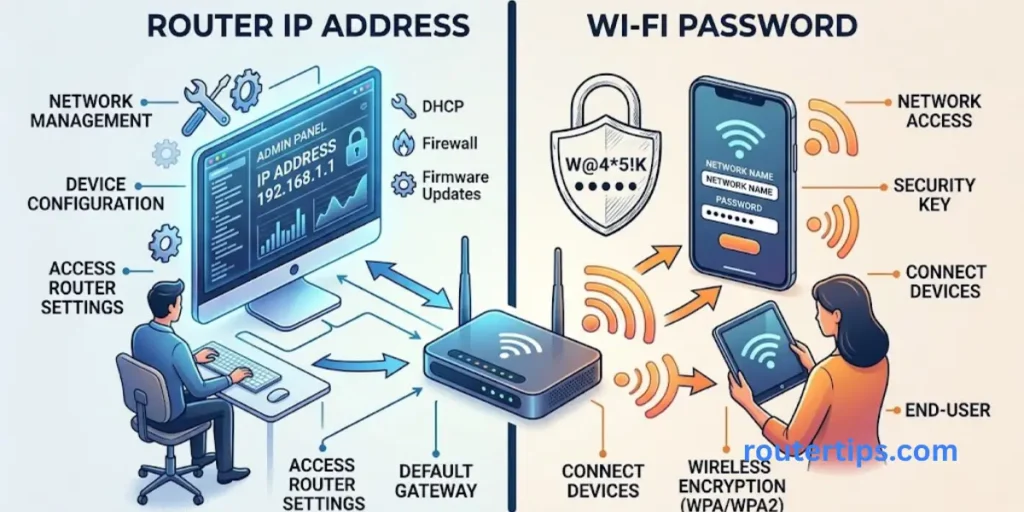
These are not the same:
| Item | Example or Location |
| Router IP address | 192.168.1.1 |
| Admin username | admin on supported models |
| Admin password | Printed on the router label |
| Wi-Fi name | Printed on the router label |
| Wi-Fi password | Printed on the router label |
If you are trying to connect a phone or laptop to Wi-Fi, you need the Wi-Fi password.
If you are trying to open router settings, you need the administrator or Network Settings password.
What Is MyFiosGateway.com?
MyFiosGateway.com is a Verizon local router management address used with supported Fios routers.
Instead of typing the numerical IP address, you can enter:
myfiosgateway.com
Verizon’s support pages for the Fios Router and Fios Quantum Gateway list myfiosgateway.com and 192.168.1.1 as ways to reach advanced router settings.
This means a Verizon Fios user may be able to use either the web address or the local IP address.
📶 Looking for your Xfinity router’s IP address? Check our What Is My Router IP Xfinity Reference to find the gateway address and access your router’s network settings.
MyFiosGateway.com vs 192.168.1.1
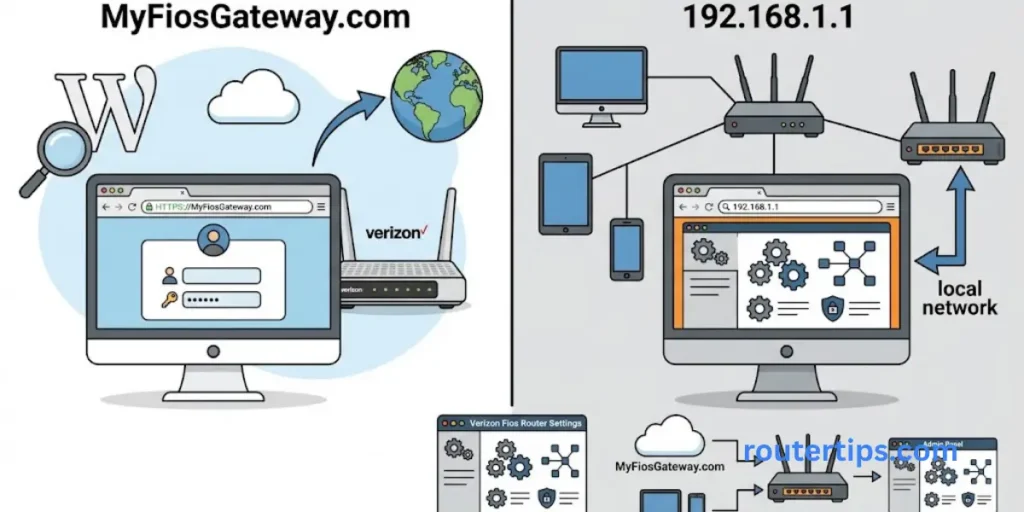
Both can take you to the router’s local management page on supported Fios equipment, but they are presented differently.
| Address | What it is used for |
| myfiosgateway.com | Verizon Fios router management address |
| 192.168.1.1 | Local router IP address |
If one does not work, check your router model and connection before assuming that the router is faulty.
What Is MyNetworkSettings.com?
MyNetworkSettings.com is the Network Settings URL used with certain Verizon Router models.
It is especially relevant to newer Verizon Router equipment. Verizon’s CR1000A user guide says to enter mynetworksettings.com in the browser and lists https://192.168.1.1 as an alternative.
Verizon’s current admin-page instructions also direct users to mynetworksettings.com or 192.168.1.1 when accessing the Verizon Router administration page.
🌐 Need to identify your router’s gateway address? Check our What Is My Router Gateway IP Reference to find the default gateway and access your router’s settings.
How to Access MyNetworkSettings.com
Follow these steps:
- Connect your device to the Verizon router.
- Open a browser.
- Enter mynetworksettings.com in the address bar.
- Press Enter.
- Enter the Network Settings password.
- Click Log In.
The Network Settings password is printed on the router label for supported models.
If the page does not load, try:
192.168.1.1
Make sure you enter the address in the browser address bar, not into a search engine.
How to Find Your Actual Verizon Router IP Address
If 192.168.1.1 does not work, your device can usually show the router’s local gateway address.
The name may appear as Default Gateway, Router, or Gateway, depending on the operating system.
Find the Verizon Router IP Address on Windows
On a Windows computer:
- Press Windows + R.
- Type cmd.
- Press Enter.
- Type ipconfig.
- Press Enter.
- Find the network connection you are using.
- Look for Default Gateway.
The number shown next to Default Gateway is normally the local address your computer uses to reach the router.
If it shows 192.168.1.1, that is the address you can enter into your browser.
Find the Verizon Router IP Address on Mac
On a Mac:
- Open System Settings.
- Select Network.
- Choose your connected Wi-Fi or Ethernet connection.
- Open the connection details.
- Look for the Router address.
Enter that address into your browser if you need to reach the local router page.
Find the Verizon Router IP Address on iPhone or iPad
On an iPhone or iPad:
- Open Settings.
- Tap Wi-Fi.
- Find the network you are currently using.
- Tap the information button next to the network.
- Look for Router.
The number beside Router is the local gateway address for that connection.
Find the Verizon Router IP Address on Android
Android menus can vary between phone brands and Android versions.
In most cases:
- Open Settings.
- Tap Wi-Fi or Network & Internet.
- Select the connected Wi-Fi network.
- Open its network details.
- Look for Gateway or a similar network address.
If the gateway shows 192.168.1.1, enter that number into your browser.
Why Is 192.168.1.1 Not Working?
There are several simple reasons why the Verizon router login page may not open.
You Are Not Connected to the Verizon Router
The router’s local administration page is meant to be accessed from a device connected to that router.
Check your Wi-Fi connection first.
If possible, try connecting the computer directly to the router with an Ethernet cable.
Verizon also states that the admin page cannot be accessed from Verizon’s own systems. The device must have a local wired or wireless connection with the router.
You Entered the Address Incorrectly
Check that you entered:
192.168.1.1
Do not type it into Google or another search engine.
Put it directly into the browser’s address field.
Also check that you did not accidentally type letters instead of numbers.
Your Router Uses a Different IP Address
The default address may not match the current local address if the router configuration has been changed.
Use your device’s network settings to find the Default Gateway or Router address.
Then enter that address into the browser.
The Router Has Been Reconfigured
Someone may have changed the router’s local network settings in the past.
If so, the old address may no longer open the admin page.
Checking the gateway address from a connected device is a better option than guessing different IP addresses.
Try MyFiosGateway.com or MyNetworkSettings.com
The correct web address depends on your Verizon router.
For supported Fios routers, try:
myfiosgateway.com
For newer Verizon Router models, try:
mynetworksettings.com
You can also try:
192.168.1.1
Verizon documents these addresses across its different router support pages.
Restart Your Router and Device
A simple restart can help when the router interface is temporarily unresponsive.
Restart the router, wait for it to finish starting up, then reconnect your device and try the local address again.
Do not press the factory reset button unless you understand what it will do. A factory reset can remove your custom network settings.
Where Can I Find My Verizon Router Login Password?
Look at the label on the back, bottom, or side of the Verizon router.
Depending on the model, you may see a field such as:
- Admin Password
- Administrator Password
- Network Settings Password
Verizon’s current documentation says the default administrator password is printed on the router label for supported Verizon Router models.
Do not confuse this password with the Wi-Fi password.
If you previously changed the administrator password, the password printed on the label may no longer be the one that works.
For security, avoid sharing your router’s administrator password with other people.
How to Change Verizon Router Settings
After signing in, you can manage several parts of your home network.
For example, Verizon’s support instructions show that users can change their Wi-Fi name and password through the router interface. The documented path includes opening 192.168.1.1, entering the Network Settings Password, selecting Wi-Fi, choosing the primary network, and updating the Wi-Fi details.
Depending on your router model, available settings can include:
- Wi-Fi name
- Wi-Fi password
- Guest Wi-Fi
- Connected devices
- Network settings
- Security settings
- Parental controls
- Advanced router settings
The exact menu names can differ between Verizon router models.
If you only need to change your Wi-Fi name or password, you do not need to change the router’s IP address.
Can I Change My Verizon Router IP Address?
Some Verizon router configurations allow changes to local network settings, but most home users do not need to change the router’s IP address.
A change may be useful when there is a local IP conflict or when a specific network setup requires a different private address.
Before changing it, remember that your router’s IP address is used by devices on your local network to reach the router. Changing it can affect how you access the admin page later.
If your goal is simply to change your Wi-Fi password, leave the router IP address as it is.
Final Thoughts on What Is My Verizon Router IP Address
If you are asking, “What is my Verizon router IP address?”, the first address to try is 192.168.1.1. This is a common management address, but the correct login method can depend on your Verizon router model.
Verizon Fios users may use myfiosgateway.com, while newer Verizon Router models such as the CR1000A use mynetworksettings.com and also support 192.168.1.1 as an alternative. Using the address or web address supported by your specific router can help you reach the correct login page.
For login details, check the label on your router for the administrator or Network Settings password. If 192.168.1.1 does not open, make sure your device is connected to the Verizon router and check your device’s Default Gateway or Router address to confirm the correct local IP address.
These simple checks can usually help you identify the Verizon router IP address and login method you need without changing your network settings. Once you have the correct address and login details, you can access your router settings and manage your home network more easily.
Frequently Asked Questions on What Is My Verizon Router IP Address
Q1. What is the default Verizon router IP address?
For many Verizon routers, the default local router IP address is 192.168.1.1. Verizon also documents myfiosgateway.com for supported Fios routers and mynetworksettings.com for certain Verizon Router models.
Q2. How do I log in to my Verizon router?
Connect your device to the Verizon router, open a web browser, and enter 192.168.1.1. Depending on your router model, you can also use myfiosgateway.com or mynetworksettings.com. Then enter the administrator or Network Settings password shown on the router label.
Q3. What is the Verizon router default username?
For supported Verizon Router interfaces, the default username is admin. The administrator password is separate and is shown on the router label.
Q4. What is my Verizon router password?
Check the physical router label for the Admin Password, Administrator Password, or Network Settings Password. The exact label depends on your Verizon router model.
Q5. Is my Verizon Wi-Fi password the same as my router admin password?
Not necessarily. The Wi-Fi password lets your devices connect to the wireless network. The administrator or Network Settings password lets you access router settings.
Q6. Why can’t I open 192.168.1.1?
First, make sure your device is connected to the Verizon router. Then check that you entered 192.168.1.1 in the browser address bar. If it still does not work, find the Default Gateway or Router address on your device. You can also try the management address that matches your router model.
Q7. What is MyFiosGateway.com?
MyFiosGateway.com is a local management address used with supported Verizon Fios routers. Verizon lists it alongside 192.168.1.1 for accessing advanced router settings.
Q8. What is MyNetworkSettings.com?
MyNetworkSettings.com is the Network Settings address used by certain Verizon Router models. Verizon’s CR1000A documentation lists it as the main setup address and gives https://192.168.1.1 as an alternative.