
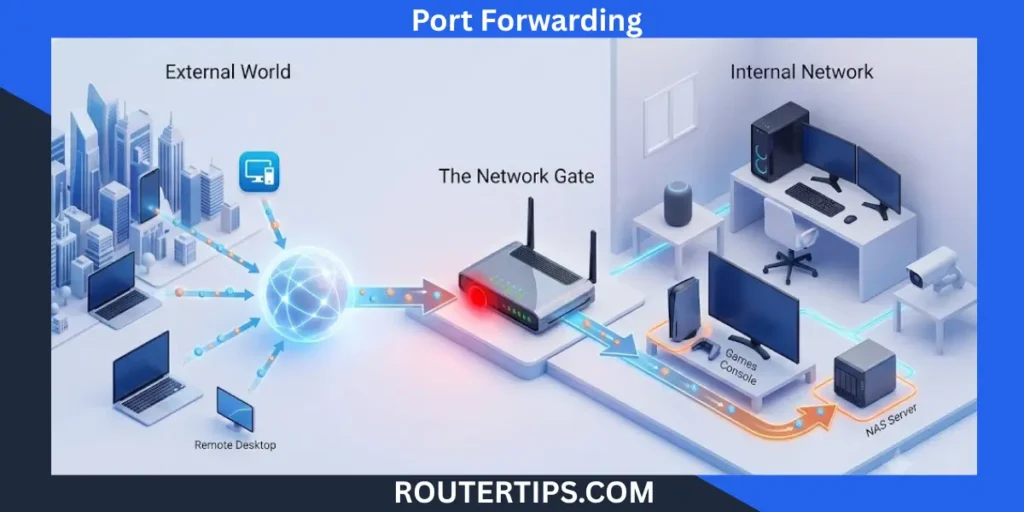
Port forwarding is a term you may have heard before if you’ve ever hosted an online game, used another home security camera remotely, or setup a file server. Although this might sound complicated, it’s actually quite easy to understand if you know how a router and internet connection function.
The port forward feature is one most home and business routers have. It enables outside Internet traffic to get to a particular device on your local network. If it didn’t exist, many online services and applications wouldn’t function because routers usually prevent any “unusual” incoming connections.
By knowing what port forwarding is, you can enhance your online gaming, allow remote access to your devices, servers, or some apps, etc. It is equally crucial to understand how to use it and how to maintain the security of your network.
This guide will provide you with an explanation of what port forwarding is, how it works, where you use it, why it is useful, how it can be a security risk, and how you should set up a port safe.
What Is Port Forwarding?

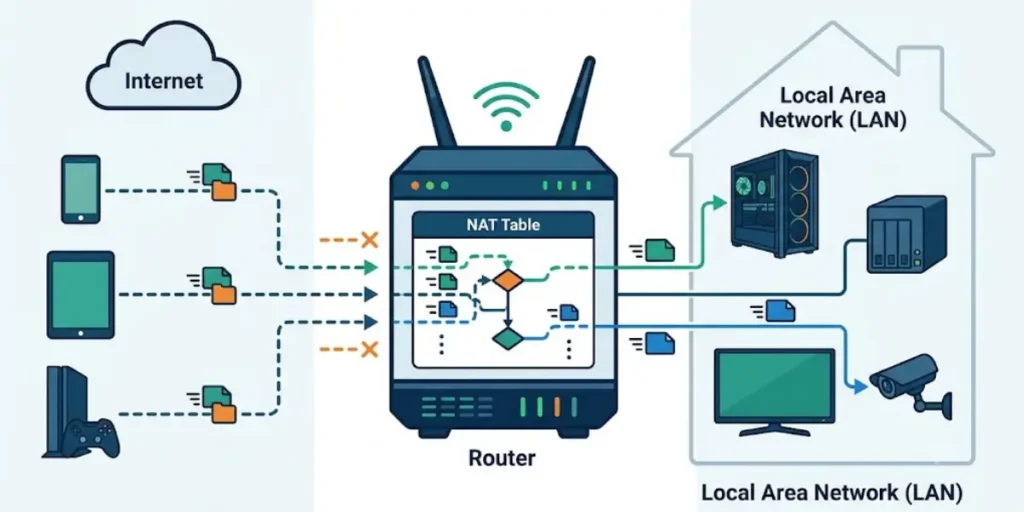
Port forwarding is a router configuration that forwards an internet connection from a certain port to certain device on the home or office network. Compare your router to the front door of your house. There’s a lot of requests that come from the internet and your router determines where to send them. Port forwarding is the instruction to the router that says “Send to traffic to this port to this device.
Routers by default deny all incoming connections except those you’ve expected to allow, thus helping to keep your network safe. Port forwarding allows you to create a rule to allow traffic to pass through a certain TCP or UDP port to one trusted device. T
ypically, port forwarding is used for playing online games, security cameras, web servers, remote desktop access or a network-attached storage (NAS) device. To put it simply, port forwarding is an effort to let the internet connect directly to one particular device on your private network.
🌐 Need help finding your network information? Check these router address details to locate your router information and manage your network settings easily.
Why Does Port Forwarding Exist?
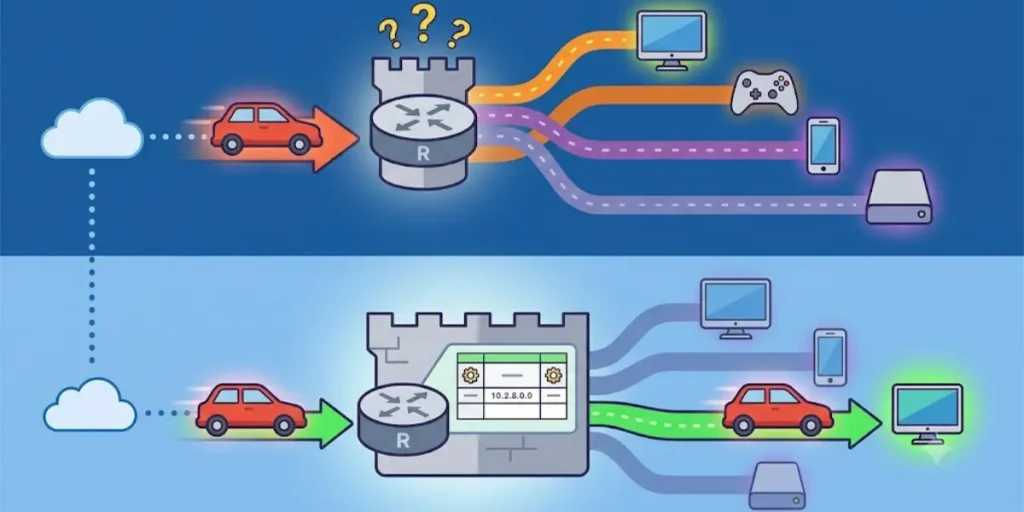
Most home networks use a feature called Network Address Translation (NAT). It lets many devices, like phones, laptops, tablets, and smart TVs, share the same internet connection.
NAT also helps keep your network safe. It blocks unknown traffic from the internet so it cannot reach your devices.
This is where port forwarding helps. When you create a port forwarding rule, you tell your router which traffic is safe to allow. You also tell it which device should receive that traffic.
Main Parts of Port Forwarding
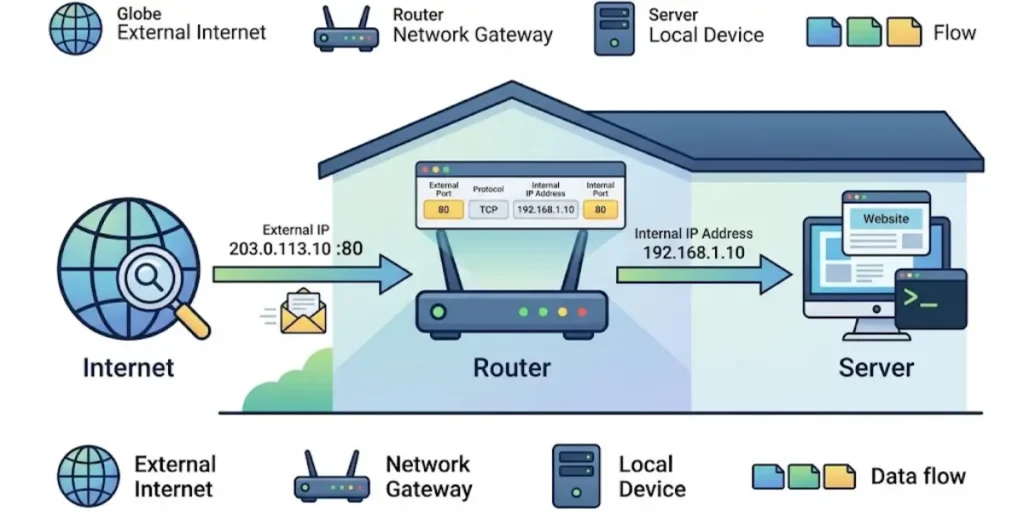
Several networking components work together when port forwarding is enabled.
- Router: Receives internet traffic and forwards it to the correct device.
- Public IP Address: The internet-facing address assigned by your internet service provider.
- Private IP Address: The address used by devices inside your local network.
- Port Number: A numbered communication channel used by applications and services.
- TCP or UDP Protocol: The communication method used by the application.
Each forwarding rule connects a specific port number with the private IP address of a device on your network.
🌐 Want to identify your network settings quickly? Check this network address information to learn how to locate the correct address used for accessing your router.
How Does Port Forwarding Work?
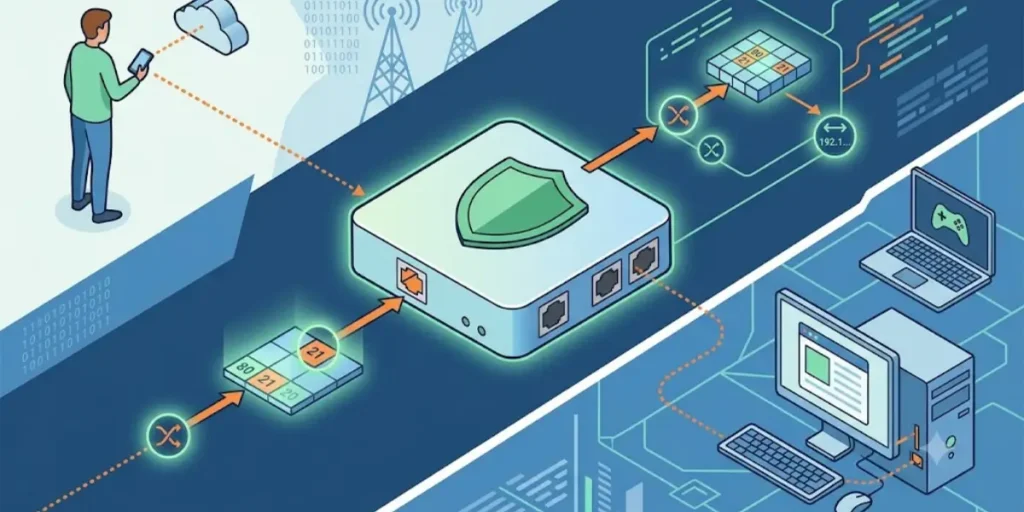
To understand how port forwarding works, let’s look at a simple example.
Imagine you have a Minecraft server on your home computer. Your friends want to join the game from their own homes.
When they enter your public IP address, the request first goes to your router. If port forwarding is not set up, the router does not know where to send the request. So, it blocks the connection.
If you turn on port forwarding, the router knows exactly where to send the request. It sends the traffic to the computer that is running the Minecraft server, and your friends can join the game.
The process works like this:
- A connection request comes from the internet.
- The router receives the request.
- The router checks its port forwarding rules.
- It finds the matching port number.
- The traffic is sent to the correct device on your local network.
- The device responds to the user through the same connection.
This process happens within seconds and is completely automatic after the rule is configured.
Example of Port Forwarding
Imagine you have a security camera at home. You can watch it while you are connected to your home Wi-Fi.
But what if you are away from home and want to check the live video? Your router needs to know where to send your request.
When you set up port forwarding, you tell the router to send those requests to your security camera. This lets you view the camera from anywhere with an internet connection.
The same process is used for game servers, remote desktop, file sharing, and other services that need access from outside your home network.
🔐 Having trouble accessing your router settings? Check these router login credentials to find the required information for accessing your device administration panel.
Why Is Port Forwarding Used?
Port forwarding is used whenever an application or service needs to accept connections from outside your local network.
Some common uses include:
- Hosting multiplayer game servers
- Accessing home security cameras remotely
- Connecting to a Network Attached Storage (NAS) device
- Running a personal website or web server
- Remote Desktop access
- File sharing between different locations
- Smart home management
- Video surveillance systems
For most everyday internet activities like web browsing, streaming videos, or checking email, port forwarding is not required.
What Is Port Forwarding in a Router?
What is port forwarding in a router? It is a built-in feature that lets you create rules for incoming internet traffic.
Almost every modern router includes a Port Forwarding, Virtual Server, or NAT Forwarding section in its settings. This is where you specify:
- The device’s private IP address
- The external port number
- The internal port number
- Whether the application uses TCP, UDP, or both
- A name for the forwarding rule
Once the rule is saved, the router automatically directs matching internet traffic to the selected device.
What Is Port Forwarding for Gaming?
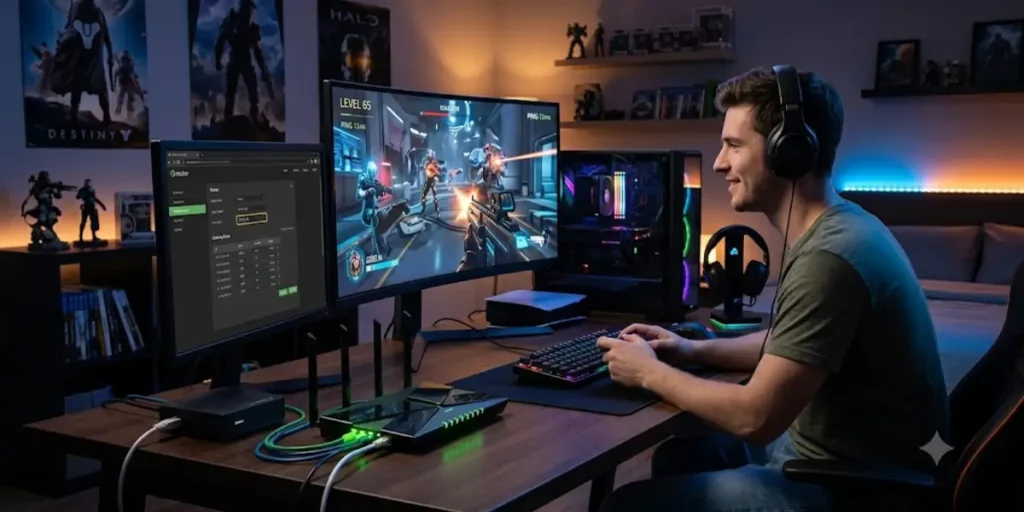
Many online games work without port forwarding because they connect through the game company’s servers. But some games and private game servers work better when the correct ports are open on your router.
So, what is port forwarding for gaming? It is a way to tell your router to send game traffic to one device, such as your PC, PlayStation, or Xbox.
This can help other players join your hosted game and may improve your connection with some online game services.
Port forwarding is commonly used for:
- Hosting a private game server
- Creating multiplayer game sessions
- Improving peer-to-peer connections
- Reducing connection issues in some games
- Allowing friends to join your hosted world
Keep in mind that port forwarding does not automatically make your internet faster or lower your ping. Your internet speed still depends on your connection quality, your internet service provider, and the game servers.
What Is Port Forwarding in Minecraft?
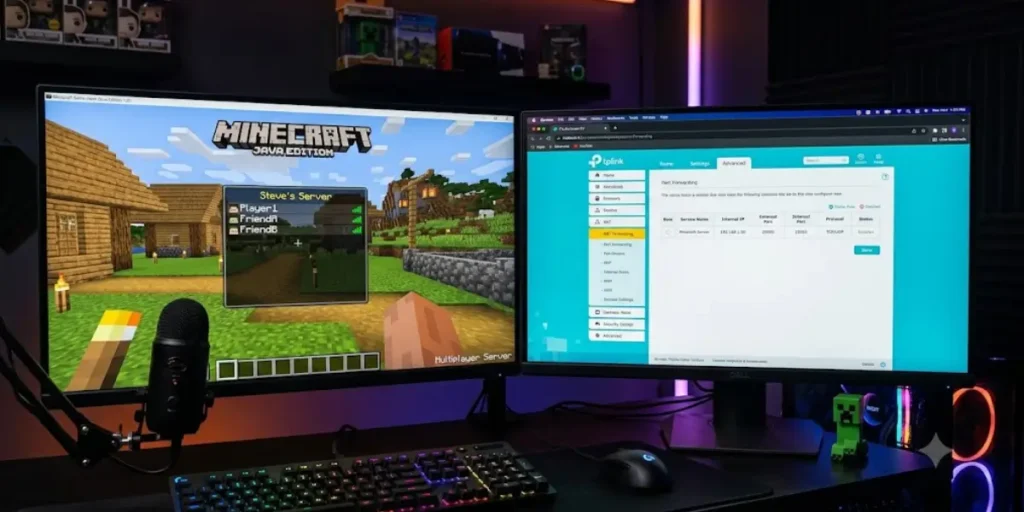
One of the most common uses of port forwarding is hosting a Minecraft server.
If you run a Minecraft server on your computer, your friends need a way to connect to it over the internet. Port forwarding tells your router to send those game requests to your computer.
Without port forwarding, people outside your home network usually cannot join your Minecraft server.
What Is Port Forwarding for PS5?
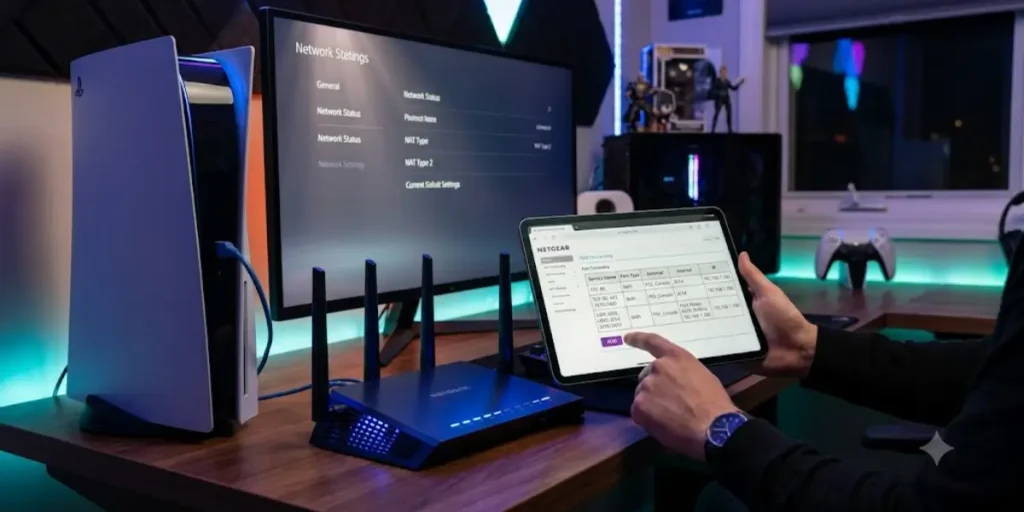
Some PlayStation games work better when certain ports are open on your router. This can improve online play, voice chat, finding matches, and joining multiplayer games.
If you have trouble connecting, joining friends, or see a strict NAT type, port forwarding may help.
Only open the ports recommended by Sony or the game’s developer. Do not open extra ports that you do not need.
What Is Port Forwarding in Subnautica?

Many people search for what is port forwarding Subnautica because they want to play multiplayer using community-made mods.
If you host the game on your computer, port forwarding lets other players connect to your game.
Subnautica does not have official multiplayer in the main game. The ports you need depend on the multiplayer mod or software you are using.
What Is Port Forwarding in Cyber Security?
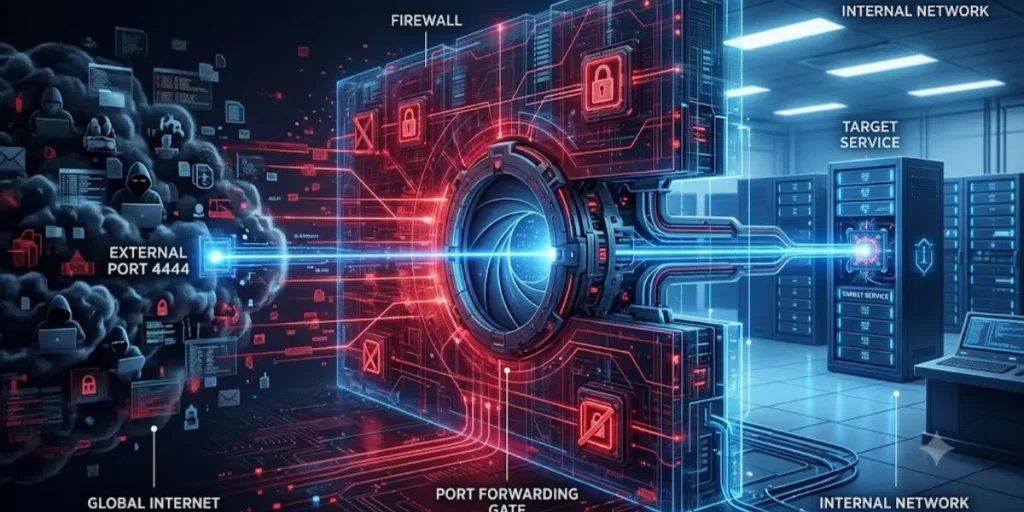
Port forwarding is helpful, but it can also affect your network security. That is why it is an important part of cyber security.
Your router normally blocks unknown traffic from the internet to help protect your devices. When you use port forwarding, you allow certain traffic to reach one trusted device.
Port forwarding is not unsafe by itself. It is safe if the device is protected with a strong password and updated software.
For example, a security camera with the latest updates and a strong password is much safer than an old device with security problems.
To stay safe, only open the ports you need. Close them when you no longer use them.
Common Security Risks
If port forwarding is not configured carefully, it may increase your network’s exposure to threats.
Possible risks include:
- Unauthorized access attempts
- Password guessing attacks
- Malware targeting open services
- Data theft
- Exploitation of outdated software
- Increased attack surface
These risks can usually be reduced by following good security practices.
Is Port Forwarding Safe?
A common question is, “Is port forwarding safe?”
The answer is yes, if you set it up correctly and use it only when needed.
Port forwarding is not dangerous by itself. The biggest risk is opening a port for a device that is not well protected.
For example, a device with a weak password or old software can be easier for attackers to access.
To stay safe, open only the ports you need, use strong passwords, and keep your devices updated.
Tips to Use Port Forwarding Safely
Follow these best practices whenever you enable port forwarding:
- Open only the ports you need.
- Remove unused forwarding rules.
- Use strong, unique passwords.
- Keep your router’s firmware updated.
- Update the software on connected devices.
- Enable your router’s firewall.
- Monitor connected devices regularly.
- Disable remote access if it is no longer required.
These simple steps help protect your home network while allowing the services you need.
Port Forwarding vs VPN
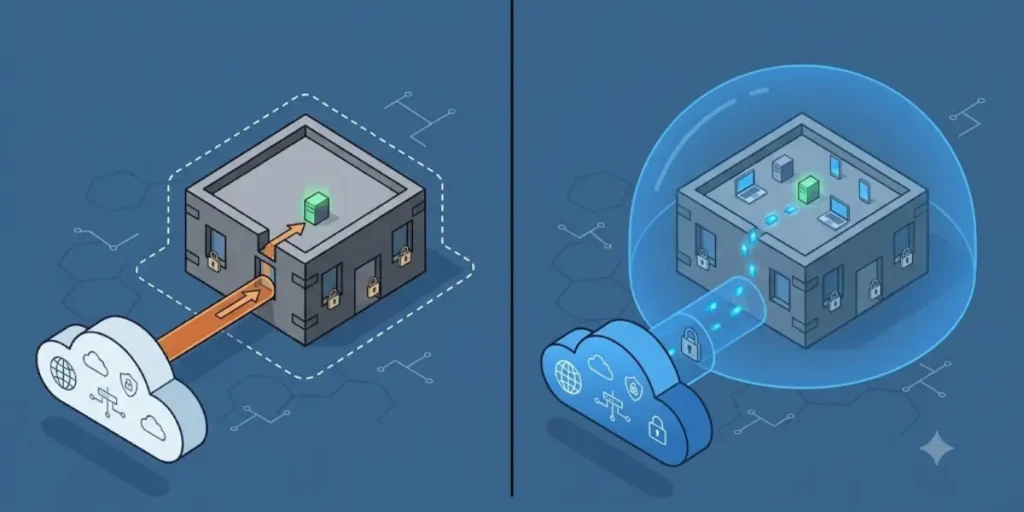
Many people ask, “Is port forwarding the same as a VPN?”
The answer is no. They do different jobs.
Port forwarding lets internet traffic reach a specific device on your home or office network.
A VPN (Virtual Private Network) creates a secure and private connection between your device and another network. It helps protect your data while you are online.
Some VPN services also support port forwarding, but they are not the same thing.
| Feature | Port Forwarding | VPN |
| Main Purpose | Direct incoming traffic to a device | Encrypt internet traffic |
| Improves Privacy | No | Yes |
| Encrypts Data | No | Yes |
| Remote Access | Yes | Yes |
| Requires Router Changes | Usually | Not always |
| Security Level | Depends on configuration | Generally higher |
If your goal is secure remote access to your home network, a VPN is often a safer choice because it encrypts the connection and reduces exposure to the public internet.
Types of Port Forwarding
Port forwarding can be used in different ways depending on the network setup and the application’s requirements.
Local Port Forwarding
Local port forwarding sends traffic from your local device to another system through a secure connection.
It is commonly used by developers, IT professionals, and system administrators for secure access to remote services.
Remote Port Forwarding
Remote port forwarding works in the opposite direction.
It allows a remote server to accept connections and send them back to a device behind a firewall or router. This method is often used for remote support and server management.
Dynamic Port Forwarding
Dynamic port forwarding creates secure communication channels that can handle traffic for multiple destinations.
It is commonly associated with secure SSH connections and advanced networking environments.
Reverse Port Forwarding
Reverse port forwarding is used when a device inside a protected network needs to make itself available from outside without opening traditional router ports.
This approach is often used in business networks, cloud services, and remote support solutions.
Port Forwarding on Popular Routers
Most router manufacturers include port forwarding, but the settings menu may have different names.
TP-Link
TP-Link routers usually place port forwarding under Advanced or NAT Forwarding settings. You can create a rule by selecting the device, entering the required port, and choosing the correct protocol.
NETGEAR
NETGEAR routers typically include a Port Forwarding / Port Triggering section under the Advanced menu. Add the required service and assign it to the correct local device.
ASUS
ASUS routers often include port forwarding under the WAN settings. You can add multiple forwarding rules and choose TCP, UDP, or both.
Linksys
On Linksys routers, the feature is commonly listed under Security, Applications, or Gaming, depending on the model.
Xfinity
If you are searching for what is port forwarding Xfinity, you can configure it through the Xfinity app or the router’s management interface, depending on your equipment.
Eero
People searching for what is port forwarding on Eero can create forwarding rules using the Eero mobile app. The app lets you select a device and assign the required ports without accessing a web-based router interface.
Best Security Tips When Using Port Forwarding
Port forwarding can be safe when you use it carefully. The goal is to expose only the services you need and protect the devices that receive internet traffic.
Follow these best practices:
Use Strong Passwords
Avoid simple passwords such as admin123 or password. Use a long, unique password for your router and any device that is accessible from the internet.
Keep Software Updated
Install firmware updates for your router and software updates for computers, game servers, cameras, and other connected devices. Updates often fix security problems.
Open Only the Ports You Need
Do not forward ports that are not required. Every open port increases the number of services that can be reached from the internet.
Remove Unused Rules
If you stop using a game server, camera, or remote access tool, delete the port forwarding rule.
Enable Your Router’s Firewall
Most routers include a built-in firewall. Keep it enabled unless you have a specific reason to change it.
Consider a VPN for Remote Access
For remote access to your home network, a VPN is often a safer option because it encrypts traffic and reduces exposure to the public internet.
Monitor Your Network
Check connected devices regularly and review your router’s security settings from time to time.
Final Thoughts About Port Forwarding
Port forwarding is a helpful networking feature that allows internet traffic to reach a specific device on your home or office network. It is commonly used for online gaming, remote access, security cameras, file sharing, and other online services.
Use port forwarding only when it is necessary. Open only the ports you need, keep your router and connected devices updated, use strong passwords, and remove any port forwarding rules that are no longer required. Following these simple steps can help reduce security risks while keeping your network running smoothly.
If you need secure remote access, a VPN is often a safer option because it protects your connection without exposing services directly to the internet. Now that you understand what port forwarding is and how it works, you can decide whether it is the right choice for your network while helping keep your devices and data secure.
Frequently Asked Questions About Port Forwarding
Q1. What is the purpose of port forwarding?
The purpose of port forwarding is to allow internet traffic from outside your network to reach a specific device inside your network. It is commonly used for game servers, remote access, security cameras, web servers, and other online services.
Q2. What is port forwarding and why is it risky?
Port forwarding is a router feature that sends traffic arriving on a specific port to a chosen device on your local network. It can be risky if you expose devices with weak passwords, outdated software, or poor security settings because attackers may try to access those services.
Q3. Should I enable port forwarding?
Enable port forwarding only when an application or service requires incoming connections from the internet. If you do not need remote access, hosting, or similar features, there is usually no need to enable it.
Q4. Is port forwarding the same as VPN?
No. Port forwarding directs incoming traffic to a device, while a VPN creates an encrypted connection between devices or networks. A VPN generally provides better privacy and security for remote access.
Q5. What is an example of port forwarding?
A common example is hosting a Minecraft server. You forward the game’s port from your router to the computer running the server so friends can connect from the internet.
Q6. Does port forwarding slow down internet speed?
Port forwarding itself does not significantly reduce internet speed. However, the application using the forwarded port may consume bandwidth, which can affect your connection if many people are using it.
Q7. How do I know if port forwarding is working?
You can test it by connecting from a different network, asking another user to connect to your service, or using an online port checking tool.
Q8. Can I port forward without router access?
Usually no. You typically need administrator access to the router to create or modify port forwarding rules.
Q9. Can hackers use port forwarding?
Hackers cannot automatically take over your network because port forwarding is enabled. The risk comes from exposing insecure services, weak passwords, or outdated software.